
Optimizing Git Diff for Prose
I wrote my dissertation in markdown and used Git for version control and pandoc for document conversion. It was… okay. Honestly, it was pretty annoying. One of my key frustrations with this approach was that Git’s default line-based diff is not ideal for natural language text where lines can contain whole paragraphs. Single-character punctuation changes would show up in the diff in the same way as complete re-writes. It just wasn’t very useful for any reasonable level of commit granularity. The Scholars’ Lab site, which uses Jekyll, also uses markdown files for posts and other pages and so has the same problem.
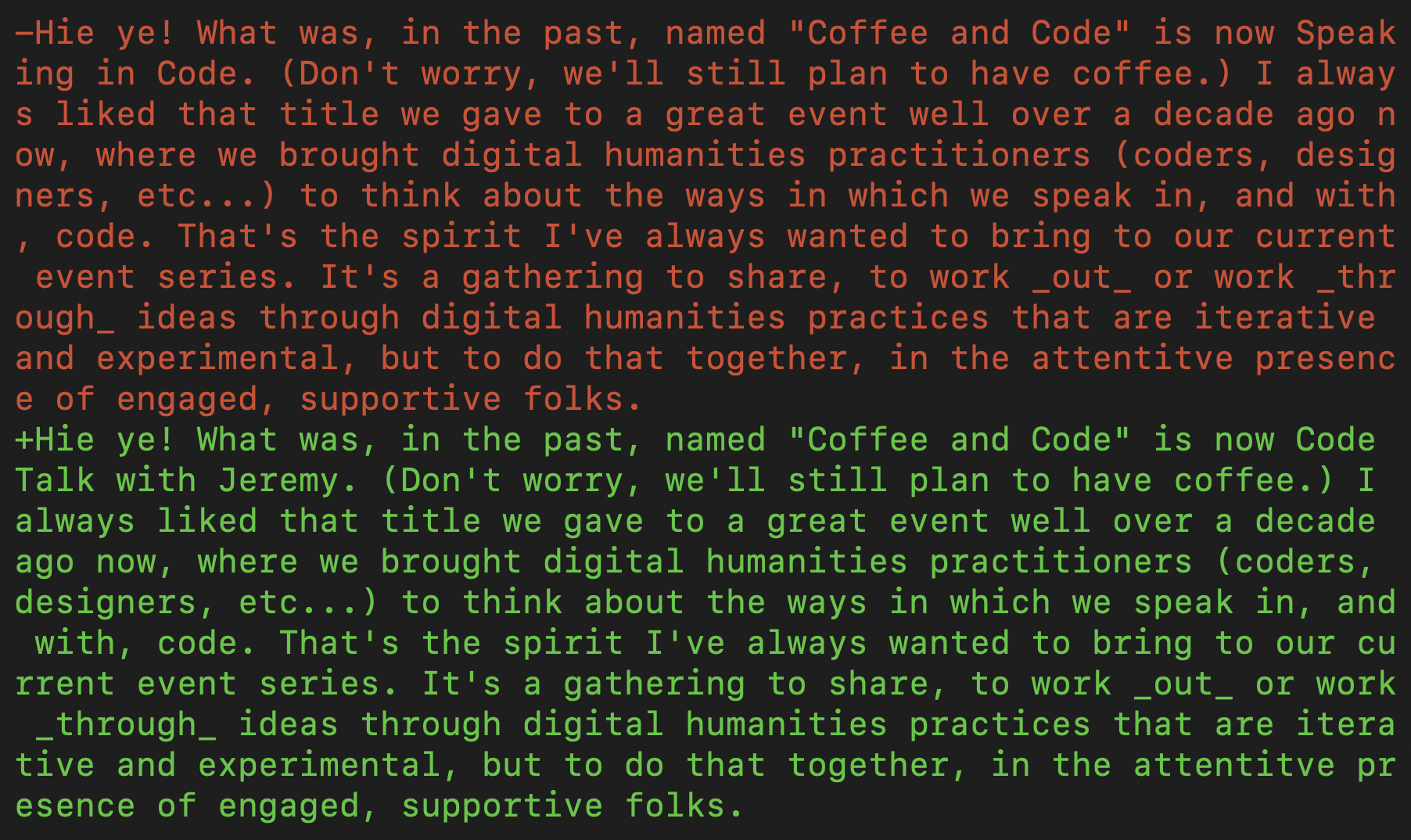
It turns out that Git actually has a built-in word-level mode for its diff engine, accessible with the --word-diff flag:
git diff --word-diff=color
The problem with using this and setting it as default is that I do still like the line-level diffs for code and would like a way to show different kinds of diffs when there’s a mix of code and natural language text. I also wanted a more lightweight and portable approach than setting up a custom diff engine, one that I could (mostly) implement and distribute as a repository-level change, convenient for something like the Scholars’ Lab site that has many contributors.
Helpfully, Git implements a system to define custom behaviors by path-based patterns: gitattributes. The documentation is a bit obtuse, but we can use my recent commit adding word-level diffs to the Scholars’ Lab site as an example.
We can see that I’ve added a repository-level .gitattributes file containing:
*.txt diff=prose
*.md  diff=prose
The diff=prose settings tells Git to use a custom diff driver to handle all files of extension .txt and .md.
“Prose” here is an arbitrary name for a custom diff driver, so we need to define its behavior. I’ve done this on the Scholars’ Lab site with a script, scripts/git-prose-diff that contains a call back to Git’s own diff command:
#!/bin/sh

git --no-pager diff \
    --no-ext-diff \
    --no-index \
    --word-diff=color \
    --word-diff-regex='[[:alnum:]]+|[^[:space:]]' \
    -- "$2" "$5"

exit 0
Just as a matter of preference, I’ve set a custom regex that differs from Git’s default word-diff behavior by also delimiting on punctuation. It’s important to remember to make this script executable with chmod +x scripts/git-prose-diff. Which actually raises an issue I haven’t considered: I develop on MacOS, Linux, and WSL on Windows, so I don’t really know how Windows native Git will handle all this.
Now we have the .gitattribute file that tells Git to use the prose diff driver for text files and the actual script file to perform the word-level diff. We still need to connect them through the gitconfig.
For security reasons, Git doesn’t allow tracking files in .git, so this is not something I can do by simply committing .git/config. Instead, each individual user needs to run git config --local --get diff.prose.command, which adds these lines to their repository .git/config file:
[diff "prose"]
    command = ./scripts/git-prose-diff
This final step tells Git to connect the diff prose attribute to the specific script I’ve written. The best part is that this fails gracefully: if the user doesn’t run the last git config command, it’ll fall back to the line-level diff without producing an error.
That’s it! For repository users who can pull the remote repo files, all they need to do is to execute the Git config in the last step. After that, all .txt and .md files in the repo will show word-level diffs. Everything else will remain line-level. Diffs of multiple files of mixed types will show the appropriate diff for each file. Just beautiful.
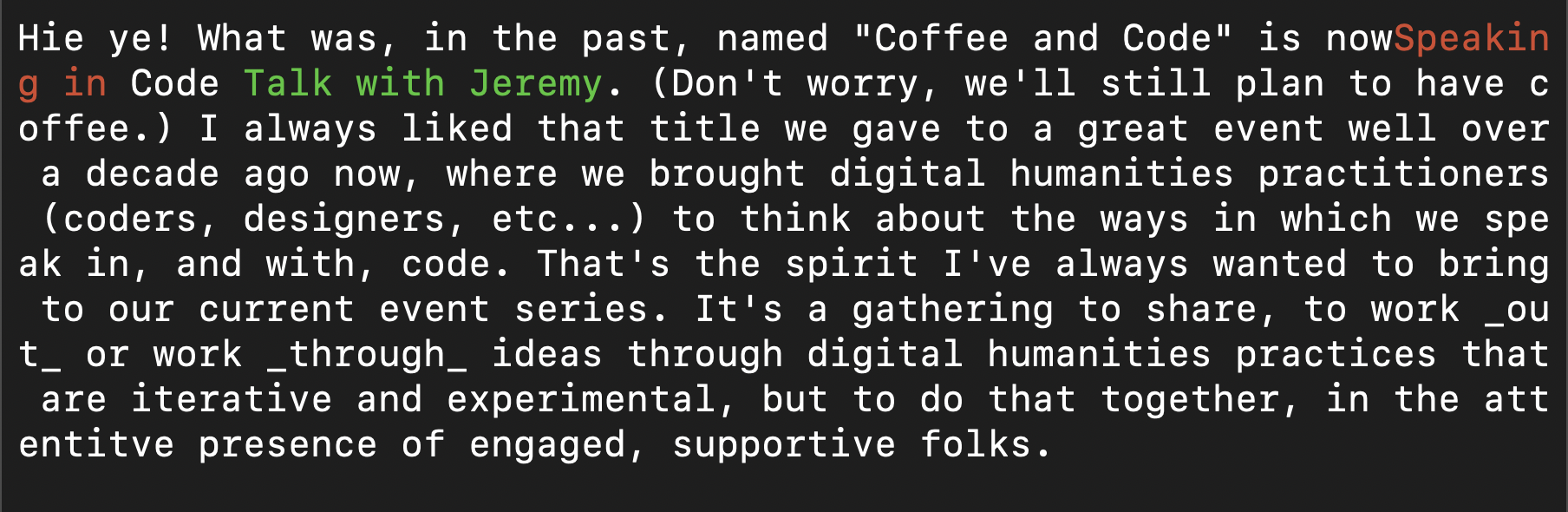
This whole process can be made to work globally (i.e. for the user) across all repos by moving each of the three components up a level.
This means putting the content of the same .gitattributes file into ~/.config/git/attributes and moving the git-prose-diff file into a location in your PATH. That is, if you put the diff script into ~/bin/git-prose-diff, you need to make sure to run echo 'export PATH="$HOME/bin:$PATH"' >> ~/.zshrc (or .bashrc if you’re using bash).
Then, running git config --global diff.prose.command '!/bin/git-prose-diff' connects the two and things should work globally.